
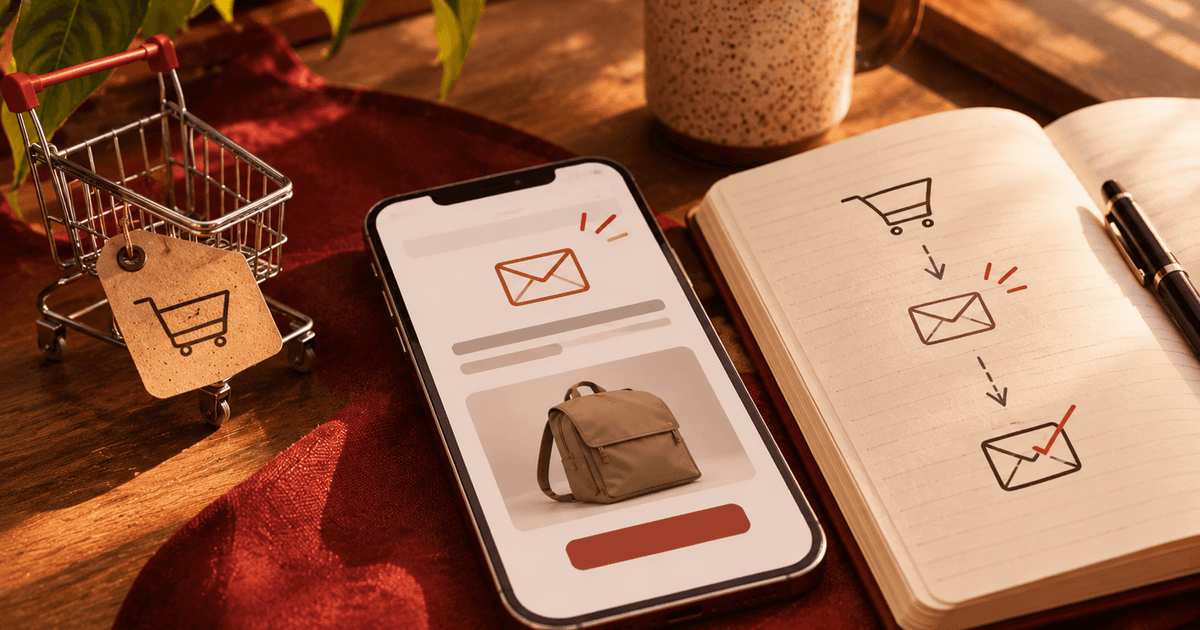
A browse abandonment email goes to a subscriber who viewed a product but never added it to the cart. Across the 14 accounts in our flow benchmarks, it earns $0.41 per send, about a quarter of what an abandoned cart email brings in.
It still ranks third in total flow revenue, behind only welcome and cart, because it reaches far more people than the cart flow does. Every account we measured runs one.
This post covers when to trigger it, how many emails to send and when, what to put in them, the subject lines, the Klaviyo setup, and how to tell if yours is working.
TL;DR
- Browse abandonment earns about $0.41 per send across 14 accounts, roughly a quarter of the cart flow's $1.50.
- It still ranks third in total flow revenue, because it reaches about twice as many people as the cart flow.
- Trigger it on a product view with no add-to-cart, and suppress anyone who bought or entered the cart flow.
- A healthy conversion rate runs 3 to 5%. Above 7% usually means the trigger is too loose.
What Is a Browse Abandonment Email?
A browse abandonment email is an automated message sent to a known subscriber who viewed a product page but did not add anything to their cart. It sits one step below the cart flow on intent, and lower intent means lower value per send, over a much larger audience.
The four main flows line up by how close the shopper is to buying: welcome reaches someone who signed up, browse someone who looked, cart someone who added, and checkout someone who started to buy.
| Flow | Total revenue rank | Revenue per send | Adoption |
|---|---|---|---|
| Welcome | #1 | $1.01 | 100% |
| Cart abandonment | #2 | $1.50 | 100% |
| Browse abandonment | #3 | $0.41 | 100% |
Source: Sweat Pants Agency portfolio, 14 accounts, trailing 12 months. The full ranking across all ten flow types sits in our flow benchmarks.
Browse Abandonment vs Cart Abandonment: Why Browse Still Earns
Browse abandonment earns far less per send than cart, yet it ranks higher in total revenue than its per-send number suggests, because it reaches a much larger audience. Per email, the cart flow earns about 3.7 times what browse does.
But browse fires to roughly twice as many people, so it still lands third in total flow revenue, worth about 11 to 12% of all flow revenue in our portfolio.
That math is the reason the flow is worth building well, not cloning. Most brands do one of two things with browse abandonment: they skip it, or they copy the cart sequence into it.
Both miss, because a browse viewer is earlier and cooler than a cart abandoner, so the email should be lighter, more editorial, and far less urgent than an abandoned cart email.
When Should a Browse Abandonment Email Trigger?
A browse abandonment email should trigger when a known, cookied subscriber views a product page and does not add to cart, with anyone who bought or entered the cart flow suppressed. The trigger reaches only subscribers the platform can identify, which is why the audience is narrower than total site traffic.
A sharper version fires on repeat views of the same product rather than any single view. A second look at the same item is a better signal of real interest, and a tighter segment, the same logic behind engagement-based segments. Suppress three groups before the first send:
- Anyone who purchased recently
- Anyone already in the cart or checkout flow
- Anyone who got a browse email in the last stretch, as a frequency cap
One question comes up constantly: why does the flow fire on so few viewers? Klaviyo can only trigger browse abandonment for identified profiles, meaning subscribers who clicked in from an email or signed in. Low trigger volume is almost always an identification problem, not a broken flow.
How Many Browse Abandonment Emails Should You Send, and When?
Start with two. We send the first within a few hours of the browse, while the product is still fresh in mind, and the second about a day later. Because browse intent is lower than cart intent, two emails is usually the right length, where a cart flow often earns a third.
Klaviyo's own guidance leans heavier, suggesting three emails plus an SMS, but we start lighter and let the data decide. Add a third email only if the second is still converting.
Sending a long rescue sequence to someone who merely glanced at a product is how a browse flow starts costing unsubscribes instead of earning orders.
What to Put in a Browse Abandonment Email
Each email does a different job, and none of them should lead with a discount. The first is a simple reminder, the second adds a reason to come back, and an optional third carries an offer only if your margin allows it.
- Email 1: the product they viewed, with an image, the price, and one line. No discount.
- Email 2: social proof or an education angle, reviews or how the product is used, plus a few related items from the same category.
- Optional email 3: an offer, but only if margin allows, and never earlier in the sequence.
Two situations change the content. During a sitewide sale, swap the promotion into the browse flow so no shopper misses it, which is what we did for a rugged phone-case brand through BFCM so every discount flow carried the same offer.
For a subscription or non-ecommerce brand, restate the value of the outcome rather than the product, the way a telehealth brand we run frames the result of the treatment, not the item.
Browse Abandonment Email Subject Lines
Browse abandonment subject lines should lean on curiosity and reminder framing, not urgency. The reader only looked, so a countdown or a “last chance” overstates where they are and reads as pushy. A gentle nudge that names the product they viewed does more work than manufactured pressure.
A few patterns that fit the low-intent moment:
- “Still thinking about [product]?”
- “[Product] is still here”
- “Here's what people say about [product]”
- “A closer look at [product]”
- “Not sure yet? A few things about [product]”
The broader split between what wins opens and what wins revenue is in our subject line report, and for browse the same rule holds: write for the shopper who is curious, not the one who is ready to buy.
How to Set Up Browse Abandonment in Klaviyo
In Klaviyo, a browse abandonment flow is built on the Viewed Product metric, which comes from the Shopify integration or Klaviyo's onsite tracking. You trigger the flow on that metric, add flow filters so nobody gets the wrong message, set Smart Sending, and space the emails with time delays.
The filters are where most flows go wrong, so set them in order of priority: Placed Order zero times since starting the flow, so buyers drop out, and not currently in the cart or checkout flow, so a shopper who moved further down never gets both.
Klaviyo's help docs cover the exact click-path well. The part worth getting right yourself is the filter logic and the order of priorities above.
How Do You Know Your Browse Abandonment Flow Is Working?
Judge a browse abandonment flow on two numbers: revenue per send against the $0.41 portfolio benchmark, and conversion rate, where a healthy range runs 3 to 5%.
A rate above 7% is not a win to celebrate, it usually means the flow is triggering too aggressively or catching cart-level intent the setup has not accounted for, which is worth auditing.
One number you will see elsewhere needs context. Klaviyo's public benchmark reports a 0.96% conversion rate for this flow, but that figure is measured per recipient across all Klaviyo accounts and from an earlier period, so it is not directly comparable to the health range above. They measure different things.
The most common problem we find is no browse flow at all. One indie tabletop game brand we moved to Klaviyo had been on a platform that never ran a browse or added-to-cart flow.
Once browse went live, it drove 4% of flow revenue in its first month, part of a 47-fold rise in flow revenue from simply adding the flows the old platform lacked.
Once welcome, cart, and browse are all live, the next gap is usually Back in Stock, which runs at only 29% adoption across our audits while earning $0.84 per send. Building and tuning that next tier is the work our Klaviyo team does on every account.
Frequently Asked Questions
1. Are Browse Abandonment Emails Compliant With Consent Rules?
They are, as long as you send only to subscribers who opted in to marketing email. A browse abandonment flow fires on identified profiles, so you are emailing people already on your list, not anonymous visitors. You cannot email a visitor the platform has not identified and who never gave consent.
2. Can You Send Browse Abandonment by SMS?
Yes, to subscribers who opted in to texts, and kept to a single message. SMS suits the reminder moment because it is read fast, but browse is low-intent, so one short text with a link back is plenty. A string of texts to someone who only glanced at a product burns opt-outs for very little return.